Printer Security Risks
Printer security is a growing concern in today’s interconnected environments. As IoT devices, printers are often overlooked, yet they present significant vulnerabilities that cybercriminals are eager to exploit. These weaknesses can lead to unauthorized access, data theft, and network infiltration, putting sensitive information and business operations at risk.
Because printers are often connected to the same networks as critical systems, they can become attractive entry points for attackers. Without proper security controls, compromised printers may be used to intercept data, gain unauthorized network access, spread malware, or move laterally across the environment. Securing printers is essential to prevent them from becoming gateways for broader cyberattacks that threaten the entire organization.
Are Printers a Security Risk?
Printers are no longer simple standalone devices; they process, store, and transmit data, making them vulnerable to cyber threats. Connected to the same networks as critical infrastructure, printers pose significant security risks that attackers can exploit to gain unauthorized access, exfiltrate data, or spread malware throughout the organization.
Are printers a security risk? Absolutely. Many organizations fail to implement strong printer security measures, leaving these endpoints exposed. According to a Spiceworks survey, only 16% of IT professionals consider printers to be high-risk devices, while 43% do not include printers in their endpoint security strategy. This highlights a significant security gap that attackers can exploit to access sensitive data and corporate networks.
Why Printers Are an Attractive Target for Attackers
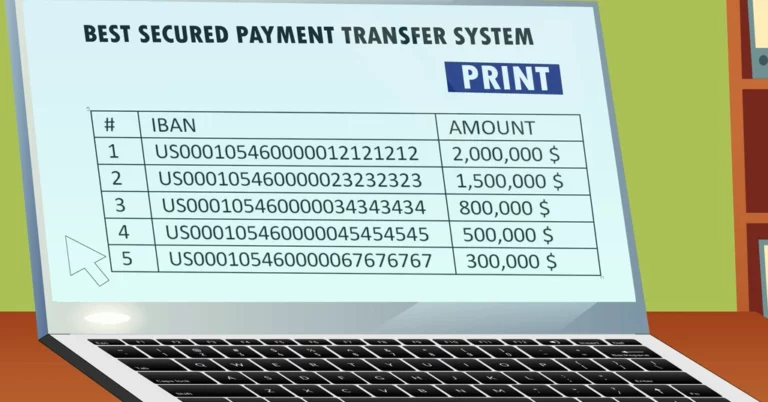
Every organization will have multiple printers at the office and are therefore an appealing target for malicious actors. Printers are common targets in bank cyber attacks due to numerous vulnerabilities, but all organizations are at risk.
Printer security risks are often underestimated because the devices themselves appear innocuous. However, their integration into the network makes them just as important to protect as servers, workstations, and other connected assets. Attackers are aware of this security gap and frequently exploit it to gain unauthorized access. A compromised printer can be used to intercept sensitive documents, alter print jobs, steal data, or serve as an entry point for broader network infiltration.
Printer security goes beyond setting passwords or enabling basic encryption. It requires a comprehensive approach that includes regular firmware updates, network segmentation, secure configuration, and robust access controls. Organizations should treat printers like any other network-connected endpoint by conducting regular security assessments and continuously monitoring for potential threats.
Printer Security Vulnerabilities
Understanding the specific printer security risks your organization faces is essential for mitigating them effectively.
Document Theft
Printers store scans, faxes, and print jobs. If accessed by a hacker, these documents can be stolen and sold on the dark web, leading to regulatory violations and reputational damage (Source: The State of Printer Security).
Changed Settings
A hacker can manipulate a printer’s settings to reroute print jobs and gain access to confidential information. They may also access stored copies of sensitive documents or reset the printer to its factory defaults, removing organizational and security configurations. Such changes can lead to severe data leaks and compromise your network.
Eavesdropping
Another critical printer security vulnerability is eavesdropping. Attackers can intercept and capture documents transmitted between a computer and a printer. By monitoring network traffic, a malicious device can leverage Man-in-the-Middle (MiTM) attacks to access print data and obtain potentially sensitive information.
Network Infiltration
By gaining access to a network-connected printer, a hacker can move laterally across the network to other devices. This type of lateral movement often causes more damage than an attack limited to the printer itself. Even if no sensitive data is stored on the printer, attackers can use it as an entry point to access the network, locate valuable information elsewhere, and expand their reach undetected.
DDoS Attacks
Compromised printers can be added to botnets and used to launch Distributed Denial-of-Service (DDoS) attacks, potentially disrupting business operations and affecting network availability.
Malware Installation
Printers are susceptible to malware infections that can provide persistent access for attackers. Once compromised, a printer may be used to steal data, monitor activity, or serve as a platform for future attacks against other systems on the network.
Printer Security Risks in IoT Environments
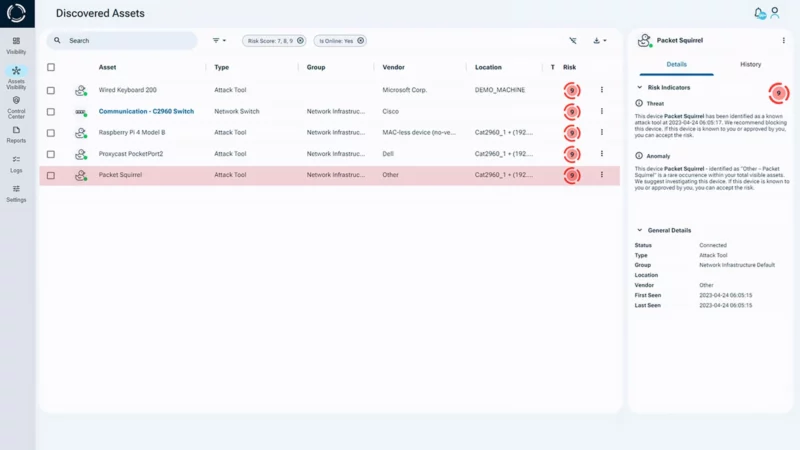
IoT printers are especially vulnerable to hardware attacks, including rogue implants operating at the physical layer. These stealth threats can bypass traditional security solutions, making printer security vulnerabilities even more difficult to detect.
Printers’ seemingly innocuous nature often leads organizations to overlook them during security planning. Yet this is precisely what makes them attractive targets for cybercriminals. Attackers know they can exploit these weak points to gain access to sensitive data or corporate networks without immediately triggering security alerts.
How Zero Trust Hardware Access Improves Printer Security
Traditional printer security measures often focus on configurations, passwords, firmware updates, and network segmentation. While these controls are important, they do not verify the identity of the device itself or detect unauthorized hardware connected to the environment.
Sepio’s Asset Risk Management (ARM) platform addresses this challenge by providing comprehensive visibility into connected assets across the environment. By integrating with existing security solutions such as NAC, EDR/EPS, SIEM, and SOAR platforms, Sepio helps organizations strengthen their security posture and improve their return on cybersecurity investments.
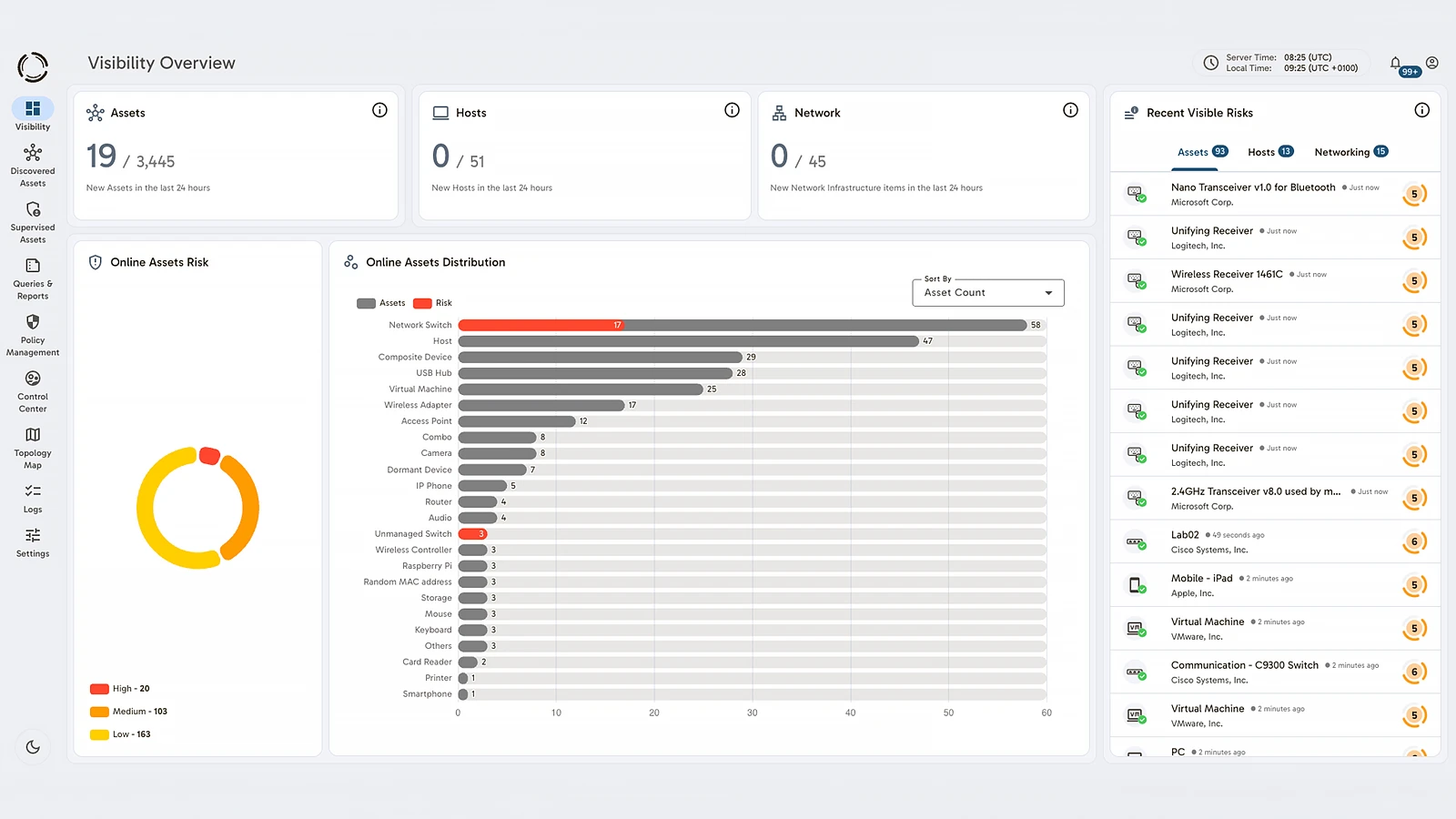
Sepio’s asset visibility capabilities ensure that no device goes unmanaged. The platform continuously identifies, classifies, and monitors IT, OT, IoT, and IoMT assets, helping security teams detect unknown, unmanaged, and unauthorized devices before they become security risks.
In addition, Sepio’s policy enforcement and rogue device mitigation capabilities help organizations identify and contain unauthorized hardware connected to the network. This enables a Zero Trust Hardware Access (ZTHA) approach, where every device is verified before being trusted. By validating device identity and maintaining continuous visibility, organizations can reduce printer-related security risks and prevent attackers from using printers as a pathway into the network.
Take Action to Protect Your Printers
Printers are often overlooked during security planning, making them attractive targets for cybercriminals. Without proper visibility and control, compromised printers can expose sensitive information, enable unauthorized access, and create opportunities for broader network attacks.
Strengthen your printer security strategy by combining security best practices with continuous asset visibility and device verification. Watch Sepio’s Printer Hacked video to learn how attackers can exploit printer vulnerabilities and how organizations can reduce risk.
See every known and shadow asset, prioritize security risks, and strengthen your Zero Trust strategy. Talk to an expert to learn how Sepio helps organizations secure printers, detect rogue hardware, and protect critical networks from cyber threats
Talk to an expertFrequently Asked Questions
Printer security refers to the measures used to protect printers and multifunction devices from cyber threats. Because printers store, process, and transmit data, they must be secured like any other network-connected endpoint. Effective printer security includes access controls, firmware management, network segmentation, encryption, asset visibility, and continuous monitoring.
Yes. Printers can be attractive targets for cybercriminals because they often contain sensitive data and are connected to corporate networks. A compromised printer can be used to steal documents, spread malware, intercept communications, or provide attackers with a foothold for broader network attacks.
Network printers are vulnerable because they frequently operate with outdated firmware, weak configurations, or insufficient monitoring. Like other IoT devices, printers may lack the security controls organizations typically apply to servers and workstations, making them easier targets for attackers.
Common printer security vulnerabilities include:
- Unauthorized access due to weak credentials
- Document theft from stored print jobs and scanned files
- Eavesdropping through Man-in-the-Middle (MitM) attacks
- Malicious configuration changes
- Malware infections
- Network infiltration through compromised printers
Organizations can improve printer security by:
- Changing default passwords
- Applying firmware updates
- Restricting user access
- Encrypting print traffic
- Segmenting printer networks
- Monitoring printer activity
- Maintaining visibility of all connected devices
- Adopting a Zero Trust approach to device access
Printer security best practices include securing device configurations, disabling unnecessary services, enforcing strong authentication, keeping firmware updated, encrypting sensitive data, and continuously monitoring printers for suspicious activity. Organizations should treat printers as critical network assets rather than simple office equipment.
Printer hardening is the process of reducing a printer’s attack surface by applying secure configurations. This may include changing default credentials, disabling unused protocols, enabling encryption, restricting access, and ensuring firmware is regularly updated.
Zero Trust Hardware Access (ZTHA) improves printer security by verifying device identity before granting access to network resources. Combined with continuous asset visibility, this approach helps organizations detect rogue devices, identify unauthorized hardware, and reduce the risk of printers being used as entry points for cyberattacks.